Today, running a business by default means that you’ve got to make do with juggling a ridiculous number of tools for every day functioning.
Your CRM, billing system, email marketing software, support desk, contract management and the rest are a part of a bigger whole – Your Business
So if it’s left unintegrated, you’ll have a whole mess of obscene overhead costs all because your apps don’t talk to each other.
If you leave it just like that, you’re stuck copying and pasting data or, worse, dealing with broken automations that never quite work as expected.
That’s why SaaS integration is extremely important for squeezing as much juice out of your software tools and all your cloud-based applications so your data flows where it should—without much manual work for your employees.
In this guide, we’re diving deep into:
- What SaaS integration really means
- Why it’s so valuable for your business
- Why it can be frustratingly difficult to set up
- How Konnectify makes it ridiculously easy
By the time you’re done reading, you’ll understand exactly how to connect your SaaS apps the smart way without coding.
What is SaaS Integration?
Breaking It Down
SaaS integration is all about connecting different cloud applications so they work together.
That means that instead of your CRM and email platform existing in separate silos between the marketing and sales departments, integration lets these systems share data in real-time.
For example:
- When a new lead comes into HubSpot → Automatically add them as a subscriber in Mailchimp.
- If an invoice is paid in Stripe → Update the customer’s status in QuickBooks.
- When a support ticket is created in Zendesk → The customer’s record gets updated in Salesforce.
And all of this happens automatically without copy-pasting, without missing data and more importantly without wasted time.
Why It’s So Important
If you’re managing a business, having good SaaS integrations set up means:
✅ Efficiency – Little to no wasted hours in manually moving around data between apps.
✅ Data accuracy – Narrowed down margins of error because of automated data entry.
✅ Automation – Helps you streamline workflows and prioritize the higher-value tasks.
✅ Scalability – As your business grows, your systems can grow with you without cracking under the expansion.
But if it’s so great, why then are so many companies struggling to get this rightt?
Why SaaS Integration is Hard (And How to Fix It)
Well here’s the problem:
- 01APIs can be super complex – Every SaaS app has its own API, and they all work differently so reading up on their API documentation is a big barrier.
- 02Not all integrations are built-in – Sometimes, you might get lucky with native integrations but when your needs grow they very quickly become a bit limited.
- 03Data formats don’t match – One app expects ‘First Name, Last Name’, but another expects ‘Full Name’ so the way data comes in and out of APIs have to be properly planned for getting data syncs right.
- 04It’s extremely time-consuming
- 05– For better flexibility you’ll need custom integrations that come with a major dependence on developers.
- 06Aside from the cost of hiring these developers, the dev time is also a fairly giant effort that’s necessary here.
SaaS Integrations Can Be Easy Too - 07While integrations can roll up to be giant hurdles because of all these constraints, there’s still some pretty easy ways to integrate SaaS tools.
- 08An example of this is our very own Konnectify that takes a fresh no-code tool approach to software integrations without the technical constraints integrations they’re always known to come along with.
- 09What does that mean?
- 10Well basically, now – SaaS integrations are simple enough to be done in a drag-and-drop way to connect your apps.
- 11No coding, no API documentation, just a very simple way to make your tools work together.
- 12Here’s how SaaS integrations can work..
- 13How to Set Up SaaS Integration with Konnectify
- 14Let’s walk you through an example step-by-step.
- 15Scenario: Automatically Creating Invoices When a Deal Closes
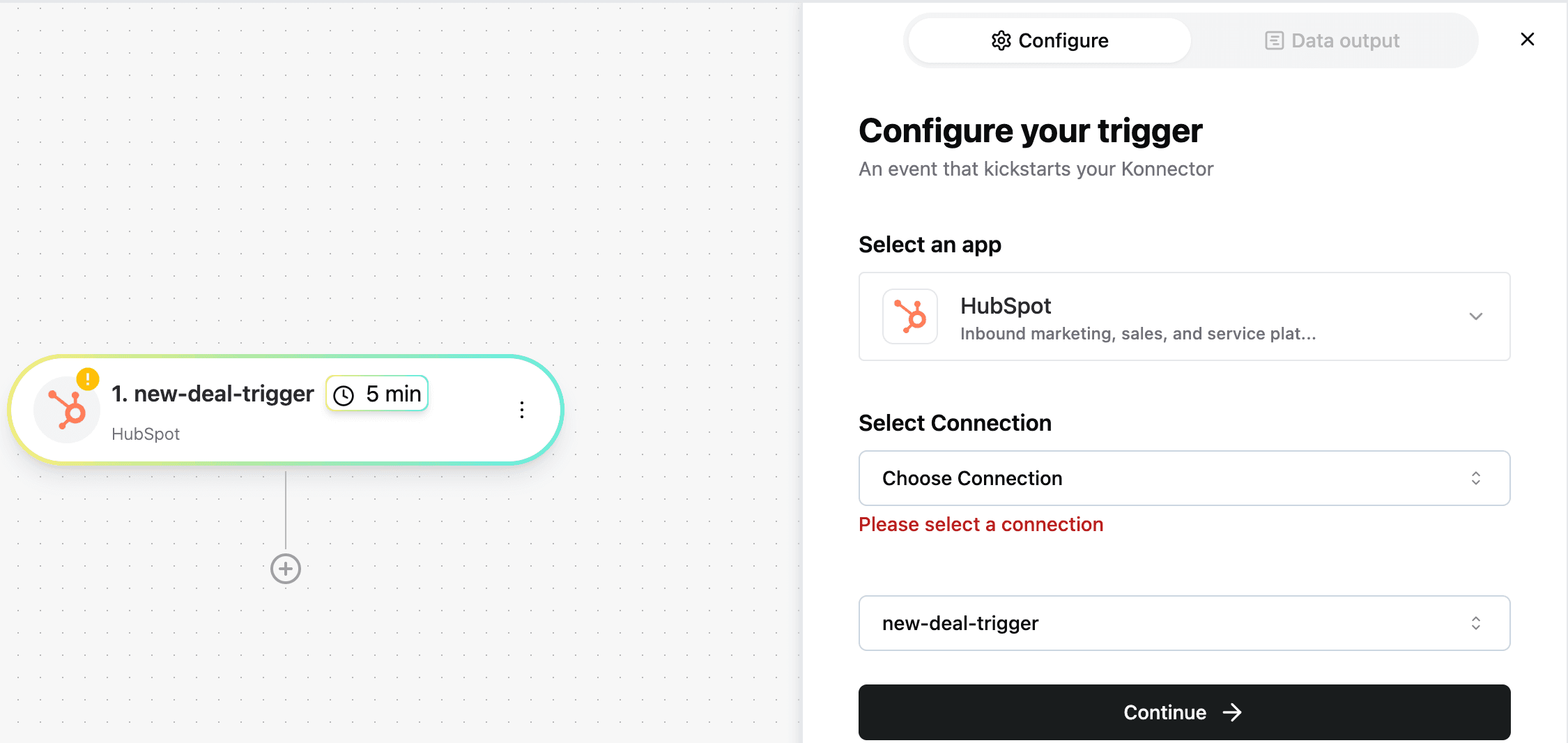
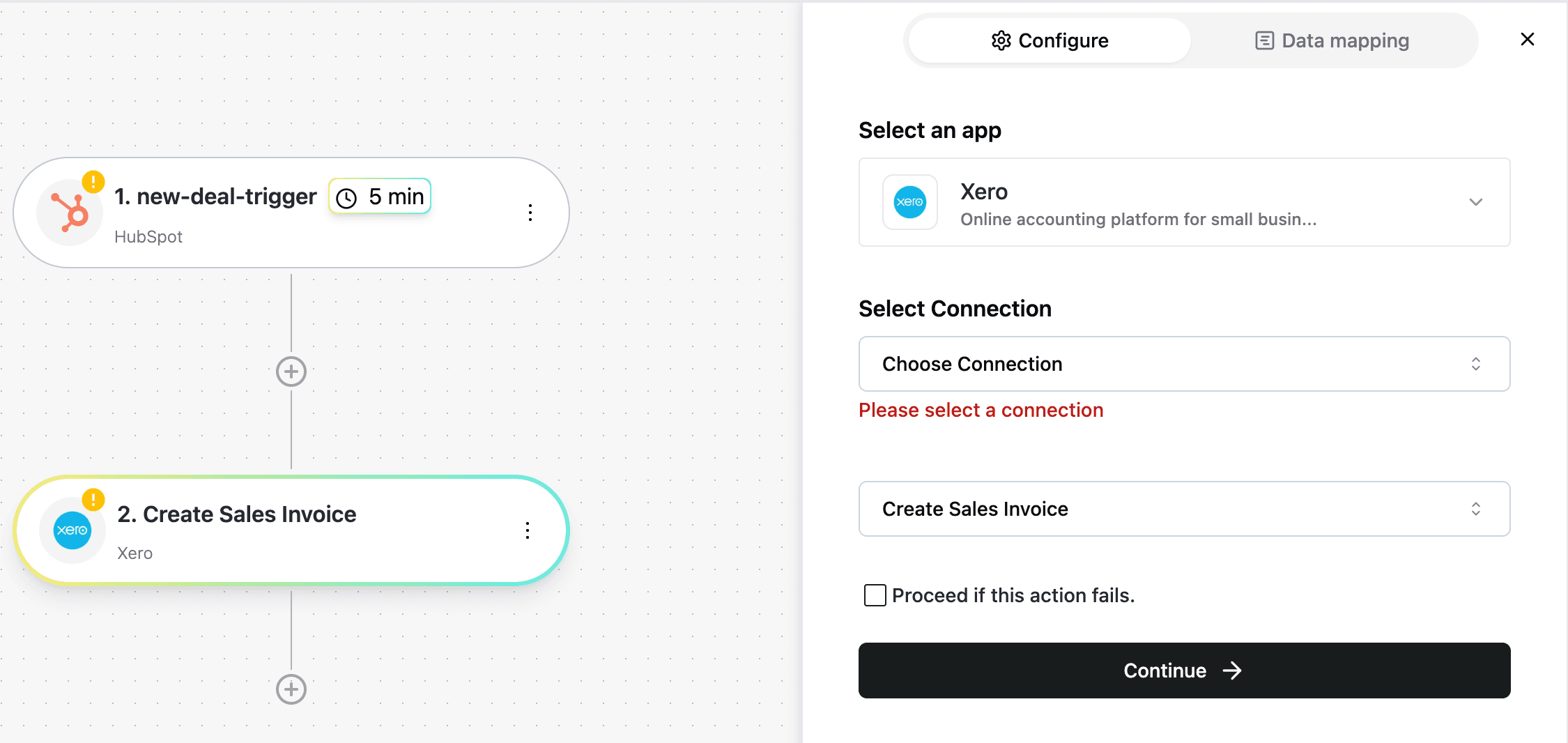
- 16Let’s say you close a new deal in HubSpot and want to generate an invoice in Xero automatically.
- 17Here’s how you’d set it up in Konnectify:
- 181️⃣ Trigger: New deal marked as “Closed Won” in HubSpot.
- 192️⃣ Action: Create a new sales invoice in Xero.
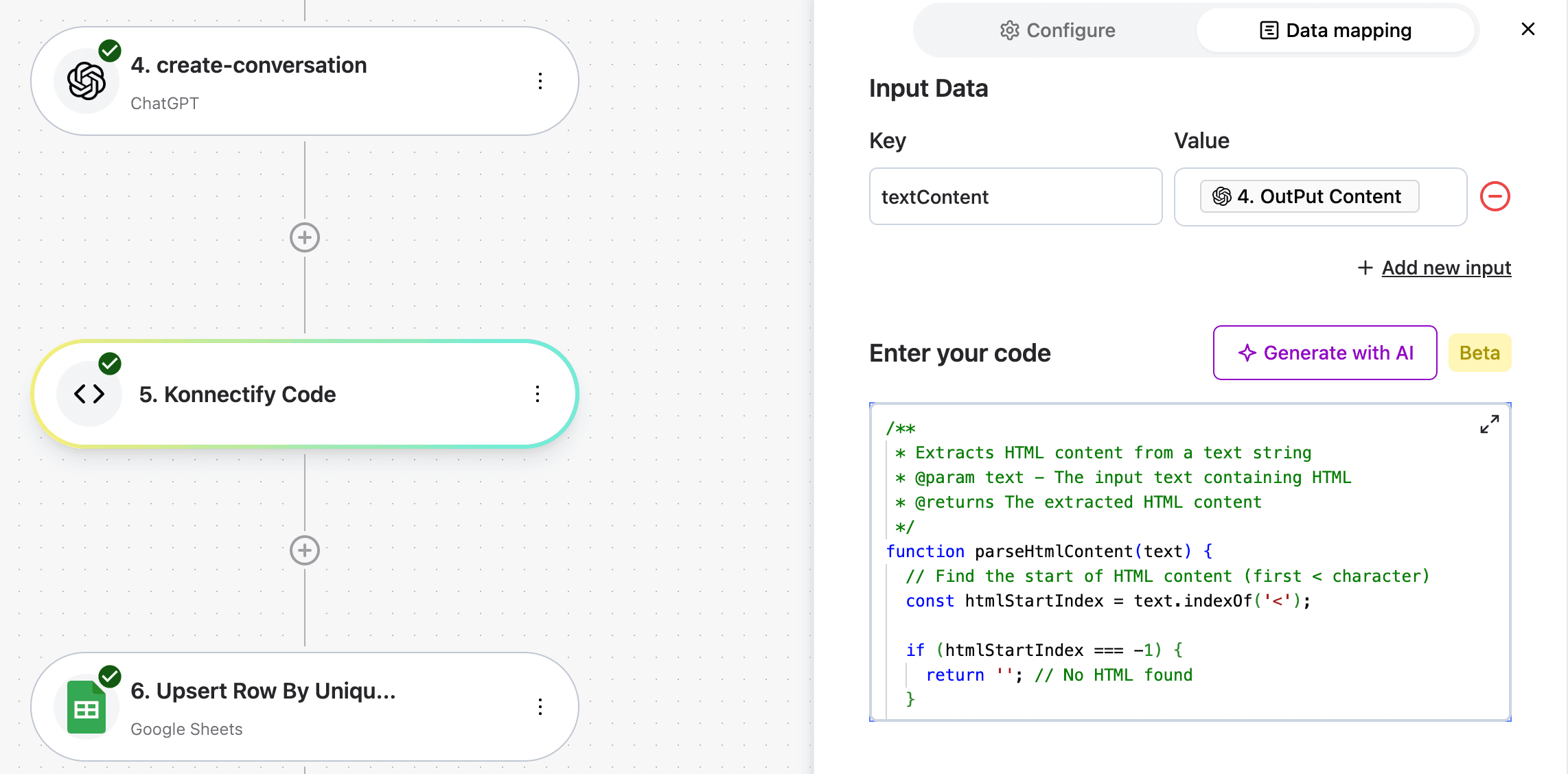
- 203️⃣ Data Mapping:
- Customer Name → HubSpot Deal Contact Name
- Email → HubSpot Contact Email
- Amount → HubSpot Deal Value
- 014️⃣ Go Live with the integration: Now, every time a deal is closed, the invoice gets created instantly.
- 02That’s only 1 simple example of manual invoice creation with integrations to avoid missing payments.
- 03Overcoming SaaS Integration Challenges
- 04Even with a no-code tool, there are a few things you’ll want to keep in mind:
- 051. Handling Multiple Apps
- If your workflows involve multiple tools (e.g., Slack, Notion, Trello, Salesforce), just make sure you’re mapping the data consistently so nothing breaks midway.
- 012. Cleaning Your Data
- If your apps store data differently, you’ll want to use some formatting rules in Konnectify to clean it up before data syncs.
- 013. Managing Errors
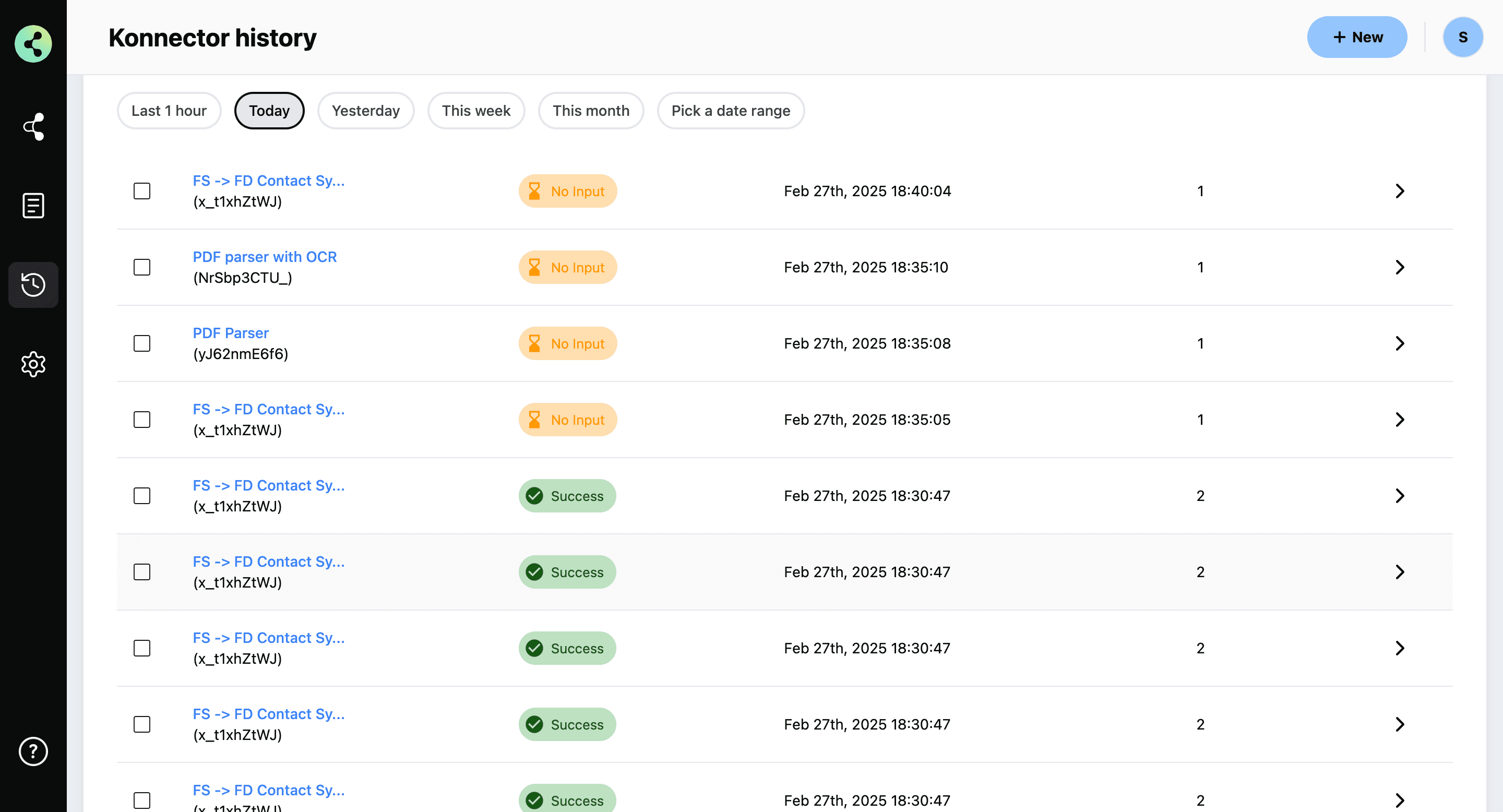
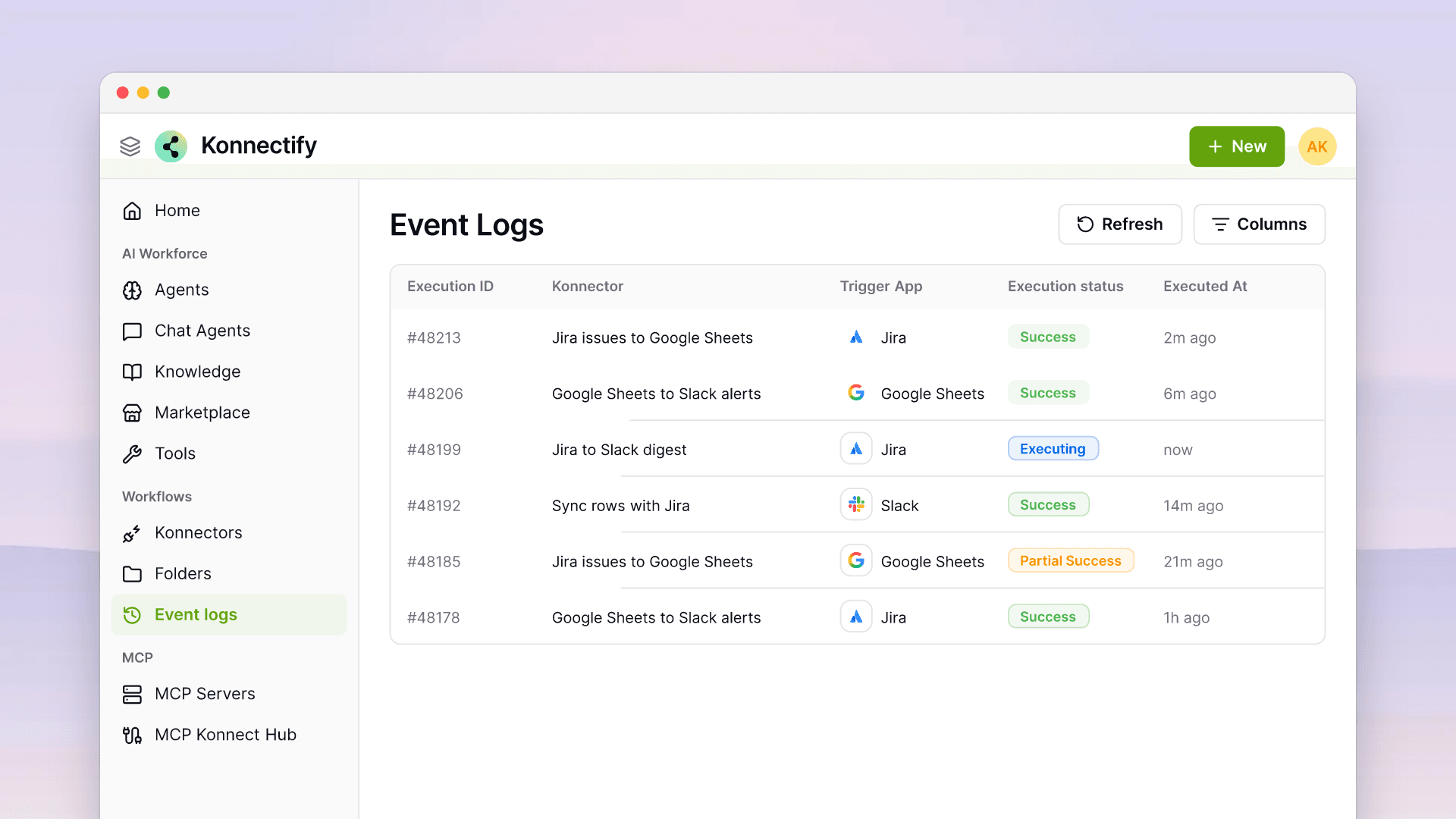
- Sometimes an app is down or an API call fails. So you will definitely need error logs and alerts on your SaaS integrations so you can fix issues before they become a problem.
- 01Real-World Examples that SaaS integrations could solve
- 02Where Are You Losing Time?
- 03Your business is growing. Your team is hustling and yet if somewhere in between your CRM updates, customer handoffs, and revenue tracking are manually done…
- 04You’re actually letting a lot of hours slipping through the cracks.
- 05SuperOps, a rising player in the MSP-PSA space was in the same boat of repetitive work.
- 80% of sales ops time -> Spent manually updating deals.
- Revenue tracking -> Great but not airtight
- Customer handoffs? Peppered delays, leading to missed follow-ups.
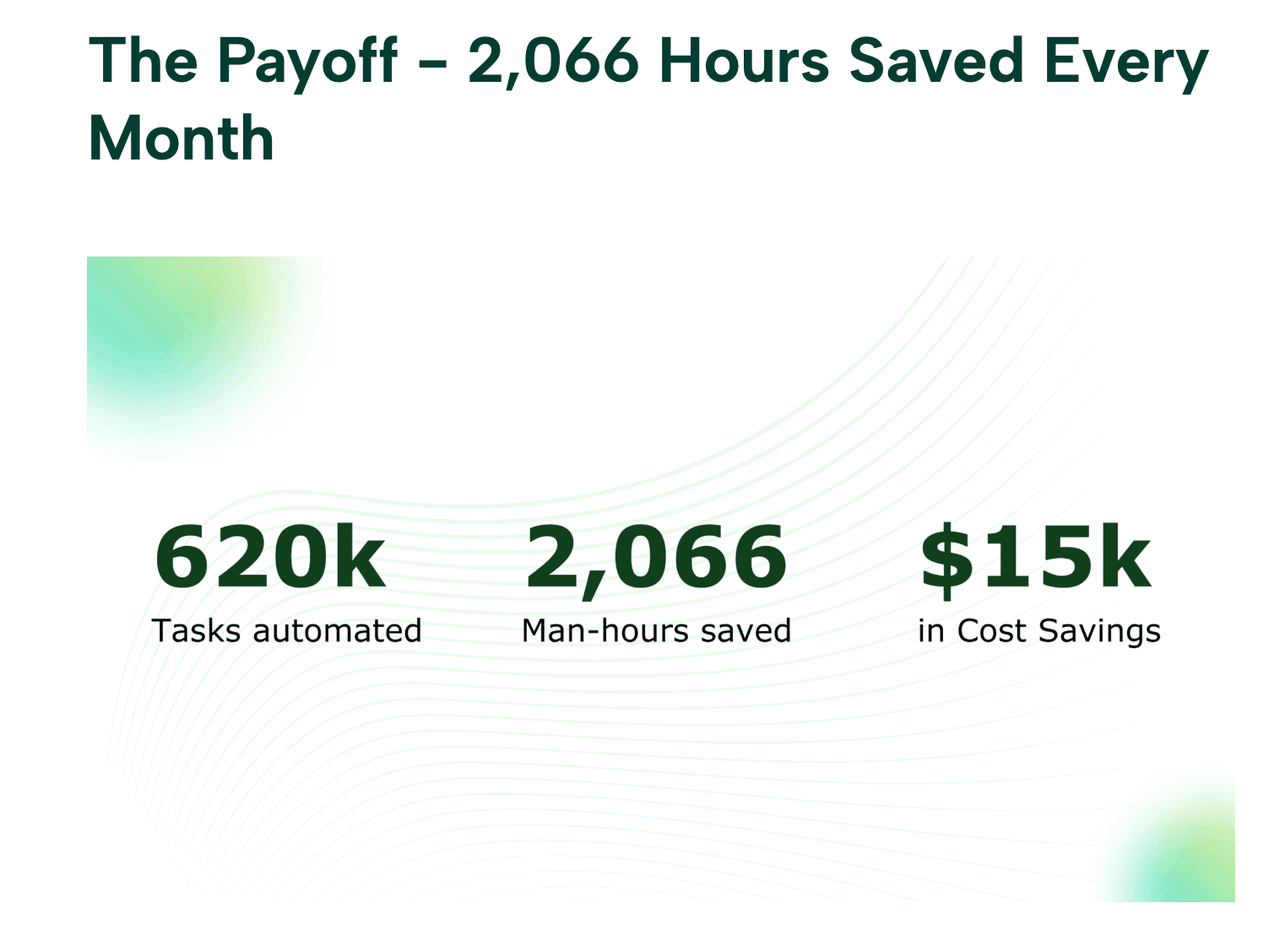
- 012066 hours. That’s how much time all these small things were eating every single month.
- 02And here’s what happened when they finally took action and integrated their tech stack to focus on strategy, innovation, and growth.
- 032066 hours saved, 60k+ automations done and $15k slashed in ops cost every month
- 04What could you do with those 2,066 extra hours?
- 05Full Case Study here: How SuperOps Saves 2066 man-hours
- 06SaaS Integration Has Some Best Practices
- 07We deal day in and day out in the integration business so if you’re setting up integrations for the first time, here are some pro tips:
- 08✔ Start small – Connect your most important tools first (e.g., CRM & email).
- 09✔ Think in workflows – Map out what happens first, then what should happen next.
- 10✔ Use logs and monitoring – Always check that data is flowing correctly.
- 11✔ Optimize as you go – Once your basic integrations are running, start automating the more advanced workflows.
- 12We Have Plug & Play SaaS API Integrations
- 13SaaS integration doesn’t actually have to be complicated at all. SaaS data integration is getting easier by the day for revenue operations, data syncing, invoice creation, customer onboarding, marketing syncs, or even support workflows.
- 14The approach is what makes all the difference.
- 15✅ Connecting your favorite SaaS apps in minutes.
- 16✅ Eliminating data silos and manual work.
- 17✅ Scaling without hiring developers.